AI DEVELOPMENT PLATFORM
One Platform for the Entire LLM Development Lifecycle
COMPANY
Microsoft
ROLE
Product Designer
TOOL
Figma
TIMELINE
6 Months
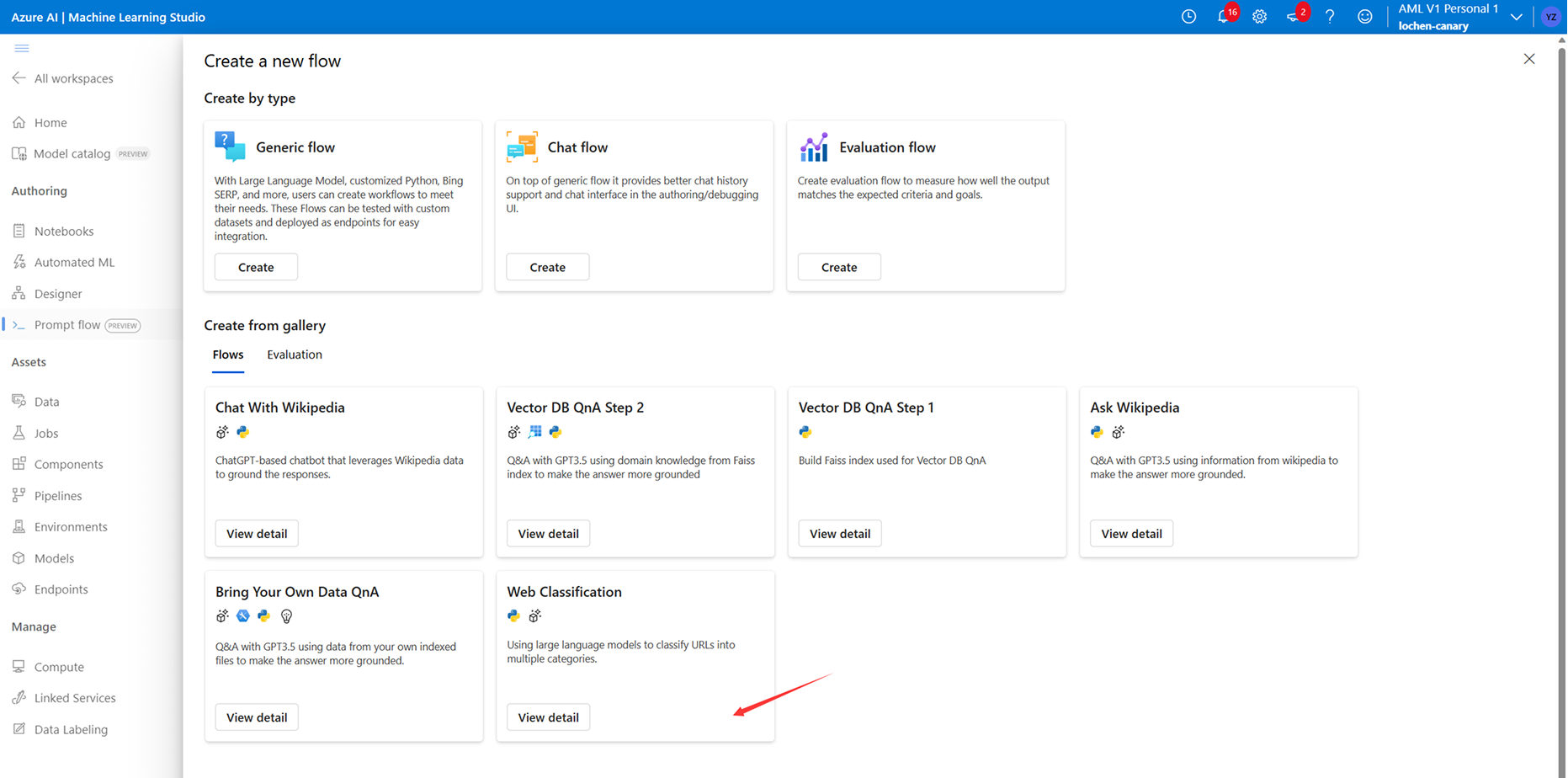
Create
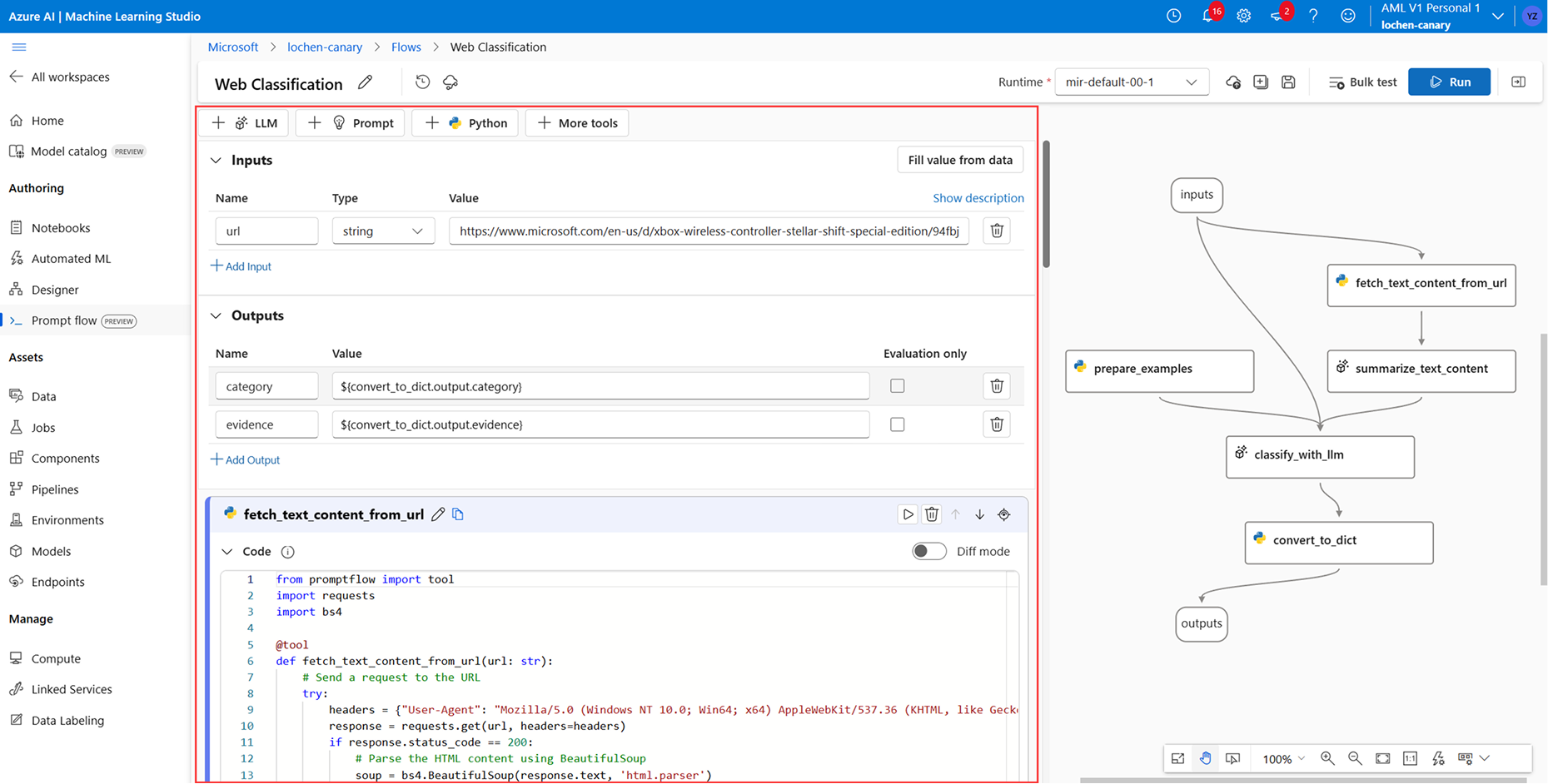
Authoring
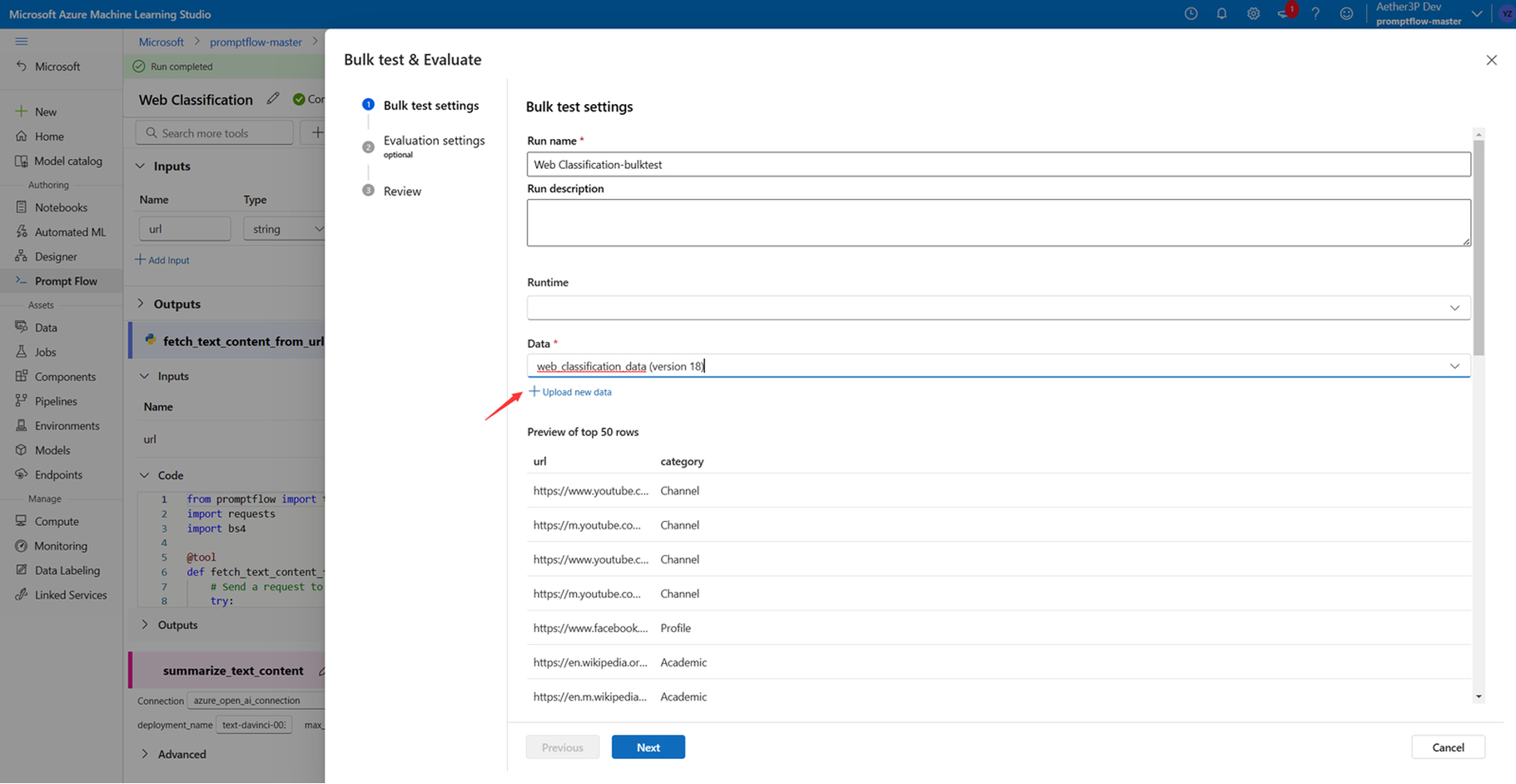
Run Flow

Evaluation
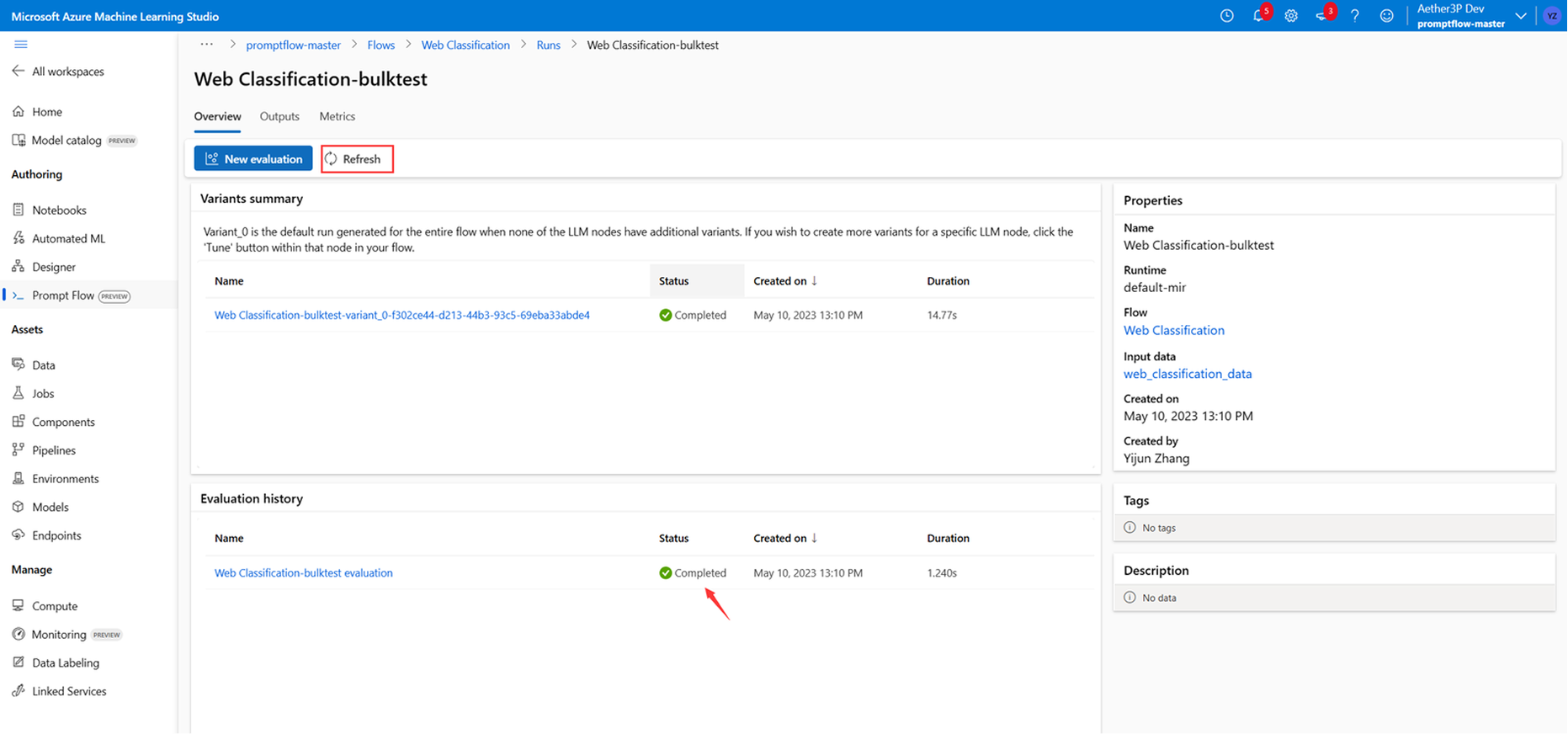
Check Result
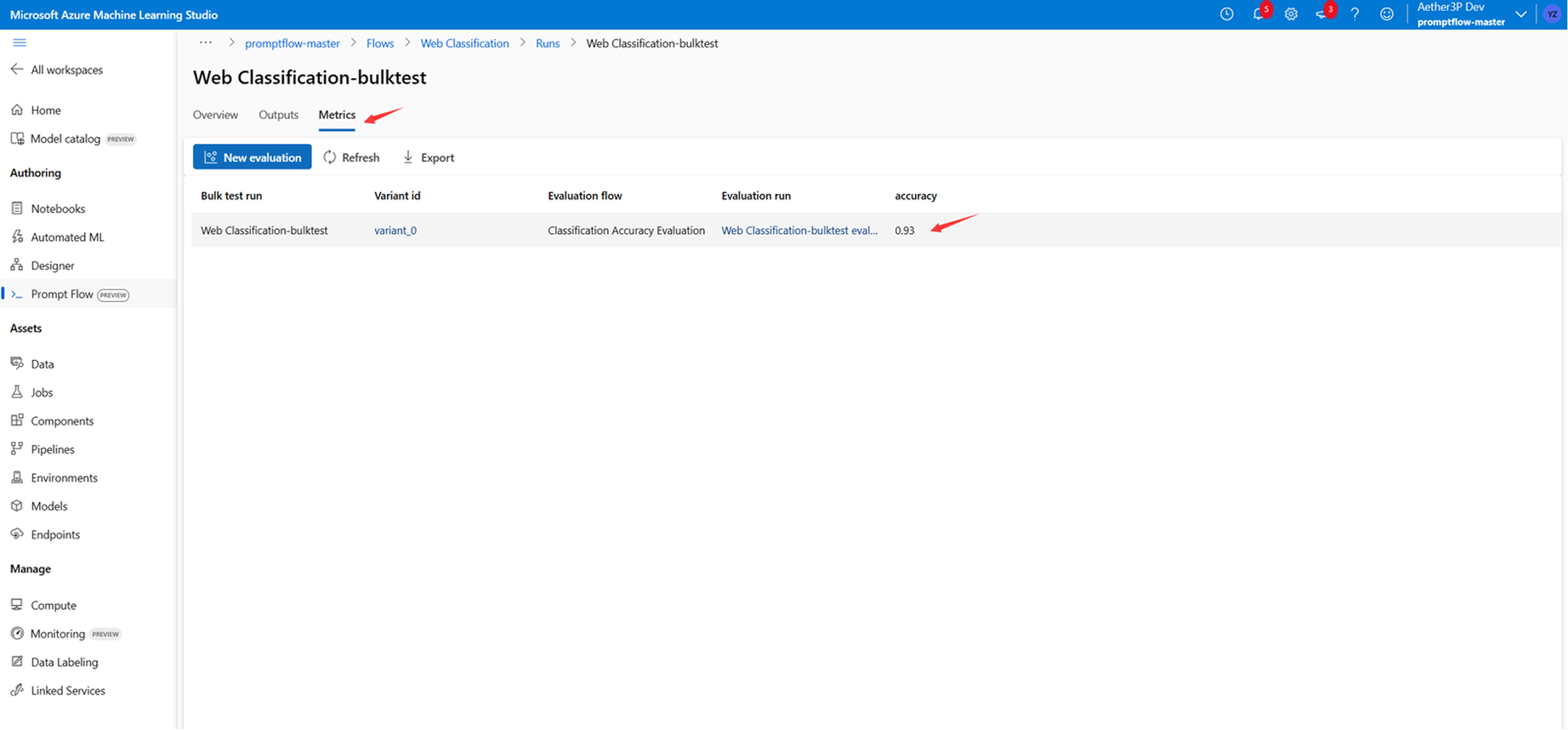
Check Result
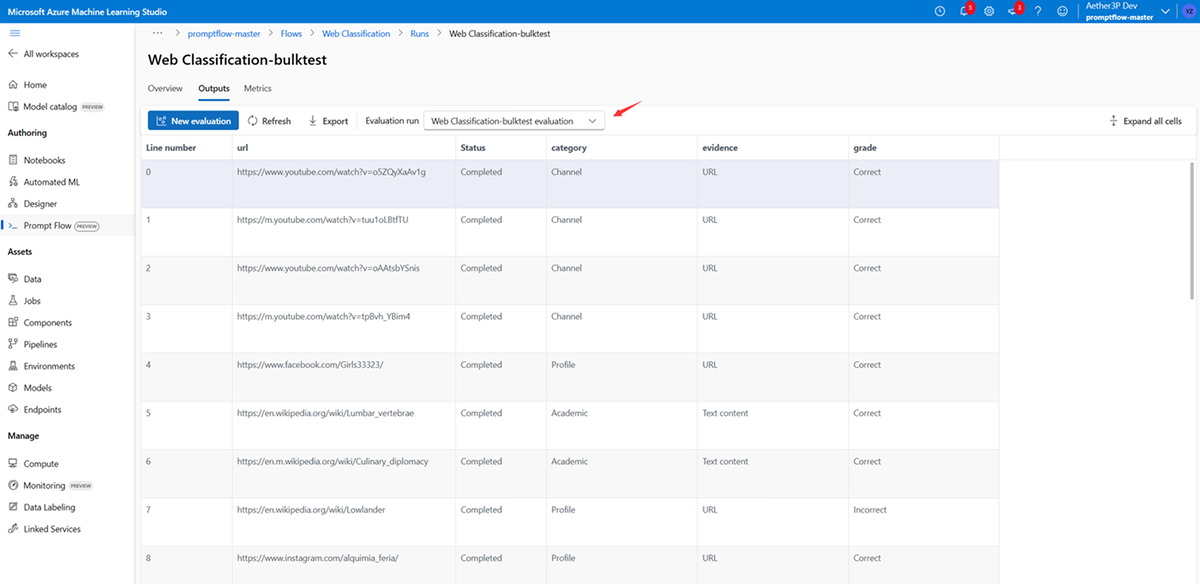
Evaluation Result

Deployment
Prompt Flow — Industrializing Prompt Engineering
From creative prompt experiments to enterprise- ready AI workflows
Prompt Flow is Microsoft’s internal platform that standardizes the end-to-end prompt engineering workflow.
It enables data scientists, AI developers, and product teams to collaboratively build, evaluate, and operationalize LLM-driven solutions with the same rigor as traditional software engineering.
Role Coverage
AI Engineers / Data Scientists / PMs
Workflow Type
Authoring, Evaluation, Deployment
Impact
Faster iteration cycles, Traceable quality metrics, Scalable deployment
Background
In 2023, as generative AI transformed how products are built and used, Microsoft introduced Prompt Flow, an integrated platform in Azure Machine Learning to streamline prompt engineering — from experimentation to deployment.
Before Prompt Flow, teams often struggled with fragmented tools and inconsistent evaluation methods, slowing down iteration and scaling of AI solutions.
My Role
Impact
Goal
Design a unified authoring and evaluation experience that empowers developers, data scientists, and AI engineers to:
Rapidly prototype, debug, and optimize prompts.
Visualize logic and data flow within complex LLM pipelines.
Transition smoothly from experimentation to production environments.
Product Designer (Core Platform Experience) Responsible for:
Establishing the information architecture and visual flow builder.
Designing the prompt debugging and evaluation workflows.
Aligning developer UX with Azure’s enterprise design system (Fluent 2).
As LLM adoption accelerated across enterprises, teams struggled to bridge experimentation and deployment — Prompt Flow was designed to close this gap.
Industrializing prompt engineering through unified workflow design.
Product Overview
The Challenge
Pain Points
Opportunity
Design Focus

As enterprises raced to adopt AI, prompt engineering quickly became a critical bottleneck.
While language models evolved rapidly, the tools for creating, testing, and managing prompts were fragmented, manual, and non-scalable.
Teams lacked a shared environment to evaluate, track, and collaborate effectively.
💡 In other words: Teams had prompts — but no system.
Disjointed workflows — Developers switched between notebooks, APIs, and datasets with no unified interface.
Lack of visibility — No clear way to visualize LLM logic or data flow, making debugging time-consuming.
Inconsistent evaluation — Results depended on ad-hoc testing, making reproducibility difficult.
Inefficient collaboration — Experiment results weren’t shareable, slowing iteration and cross-team learning.
By building a visualized, end-to-end workflow for prompt design, Prompt Flow could transform prompt engineering into a repeatable, measurable, and collaborative process — bridging experimentation and production, while aligning with Azure’s enterprise-grade reliability.

Enable a loop of experimentation → evaluation → refinement within one cohesive interface.
Translate complex prompt logic into an intuitive visual language.
Integrate metrics and debugging tools seamlessly into the user journey.
Problem & Opportunity Definition
Why industrializing prompt workflows matters in the era of AI acceleration.
Define the MVP
Prioritization Framework — Defining the foundation for scalable growth
Prioritization
MVP features

User Goals
We scoped features based on research insights and got feedback from designers, engineers, and product managers. My task is to design Prompt Flow development and evaluation.
Initialization
User guide
Workspace
Prompt Flow Template
Experimentation
Create & modify Prompt flow
Run flow against sample data
Evaluate prompt
Bulk Evaluation
Run flow with bulk dataset
Evaluate prompt
Production
Deploy & monitor flow
Expand Accessibility Across User Segments
Empower Non-Technical Users
Enhance Workflow Efficiency

Business Goals
Accelerate Adoption
The solution directly addresses core user needs
Essential features needed to launch MVP
Engineer resources & technical feasibility
MVP design focused on enabling repeatable workflows and reliable evaluation metrics, ensuring early adoption across mixed-skill teams.
💡How we decide on MVP features

Design Goals
Develop Intuitive, visually guided experiences for technical and non-technical users
Create an integrated workflow to eliminate the need for multiple tools
NARROW DOWN THE PROBLEM FOR THE MVP
How might we design a prompt evaluation system that provides clear metrics, simplifies the evaluation process, and supports technical and non-technical users to optimize workflow?
User Flow Iteration
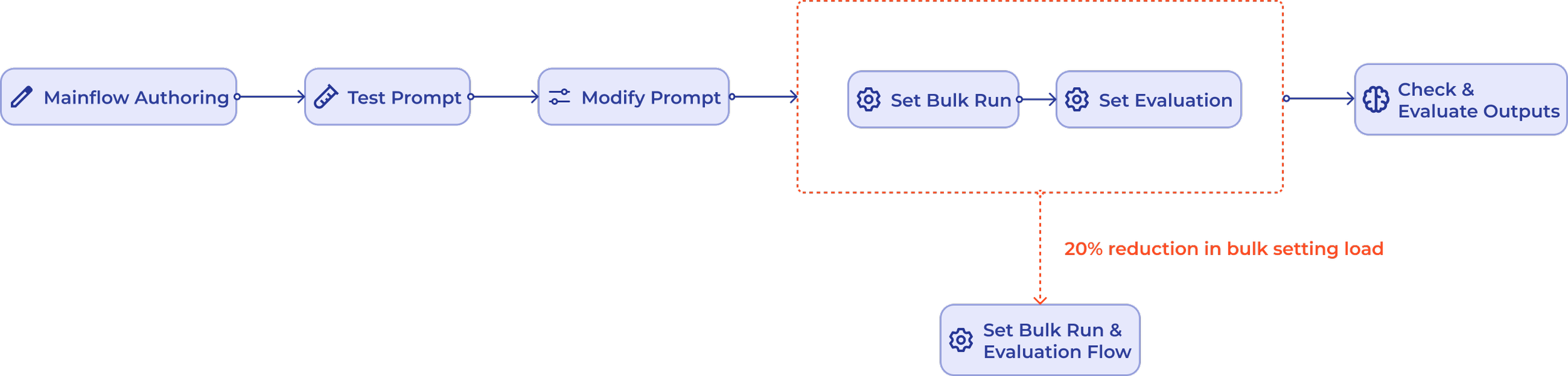
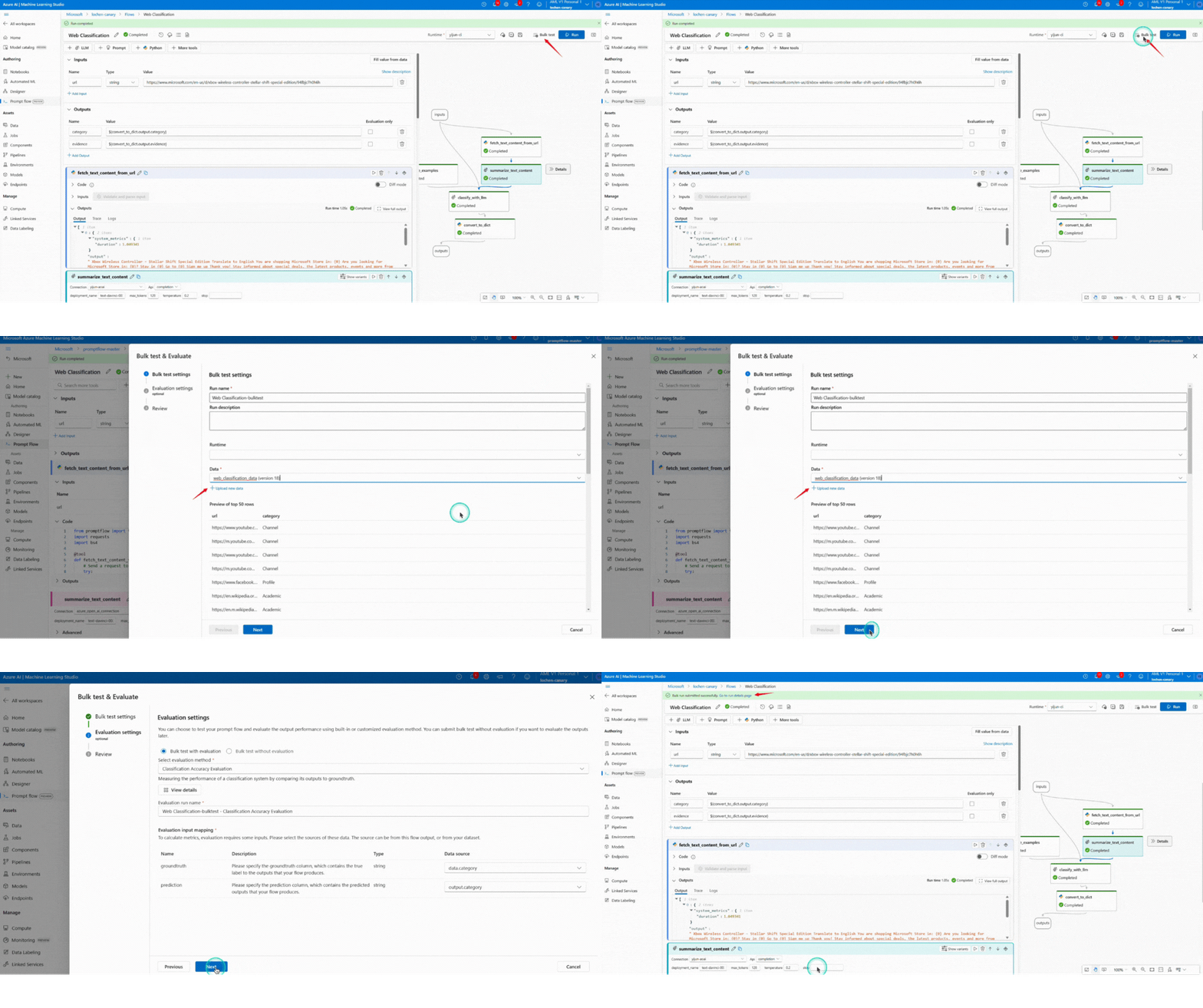
After testing the initial user flow with developers, we discovered friction around the separate configuration steps for “Set Bulk Run” and “Set Evaluation.” To address this, I merged these two actions into a unified configuration step—Set Bulk Run & Evaluation Flow. This adjustment reduces one screen and step, resulting in a ~20% decrease in the workload related to bulk settings, while also simplifying the mental model for users.

Design Solution
A visualized, collaborative workflow connecting prompt creation, testing, and evaluation.
Prompt Flow integrates prompt authoring, evaluation, and debugging into a single cohesive interface.
This unified design allows users—both technical and non-technical—to visualize their workflows, test prompts at scale, and interpret evaluation metrics in real time.
The solution emphasizes clarity, measurability, and collaboration, aligning with Azure’s enterprise reliability.
Visualized Workflow
Goal: Reduce cognitive load and connect every stage of prompt development.
Create a New Prompt Flow: Select a pre-built template or blank page, Enhance the efficiency of prompt engineers.

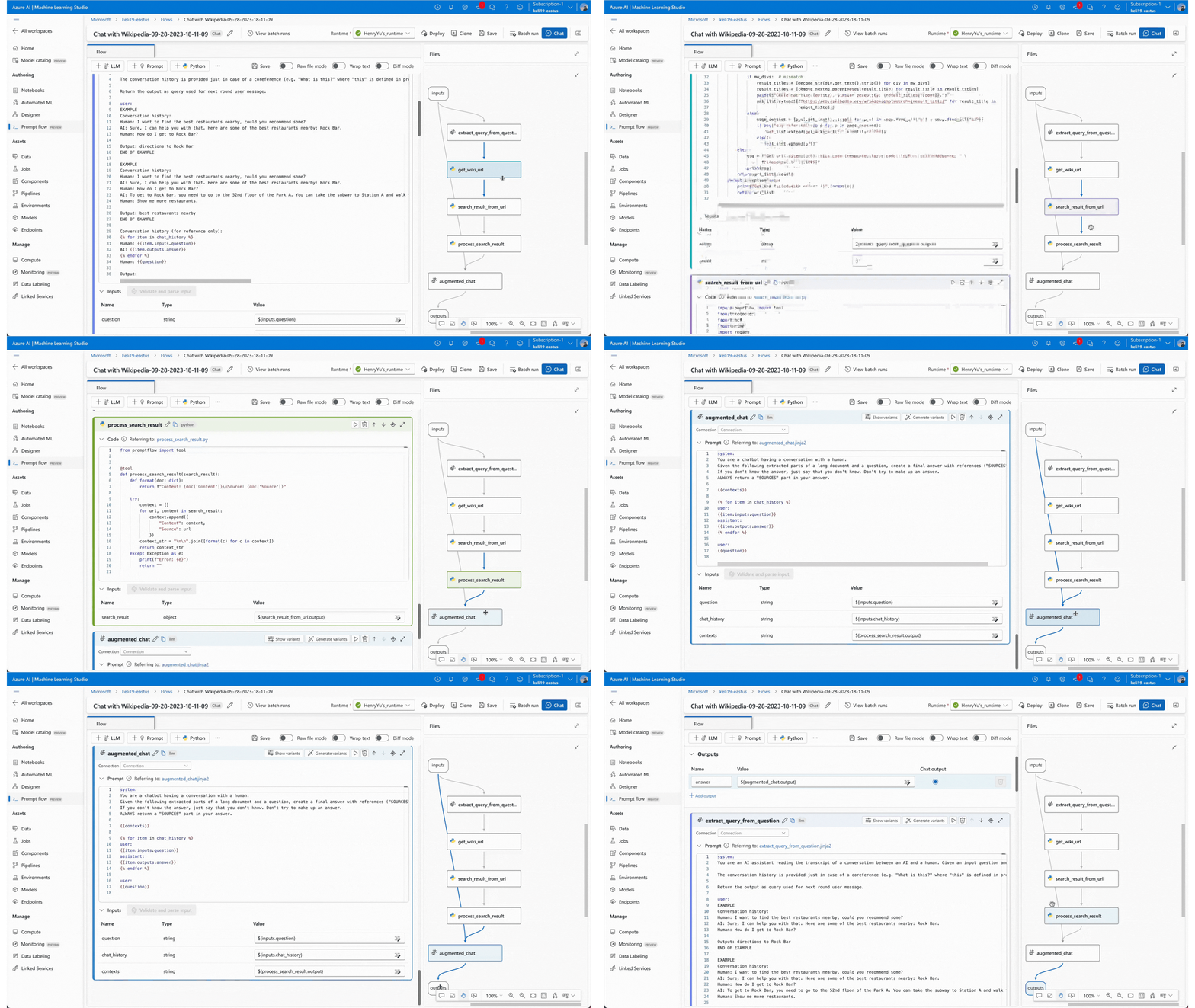
Node-based authoring: Build LLM workflows through modular, visual logic blocks.
Add and Set a Node: After adding an LLM node, users can set parameters, and edit prompt.
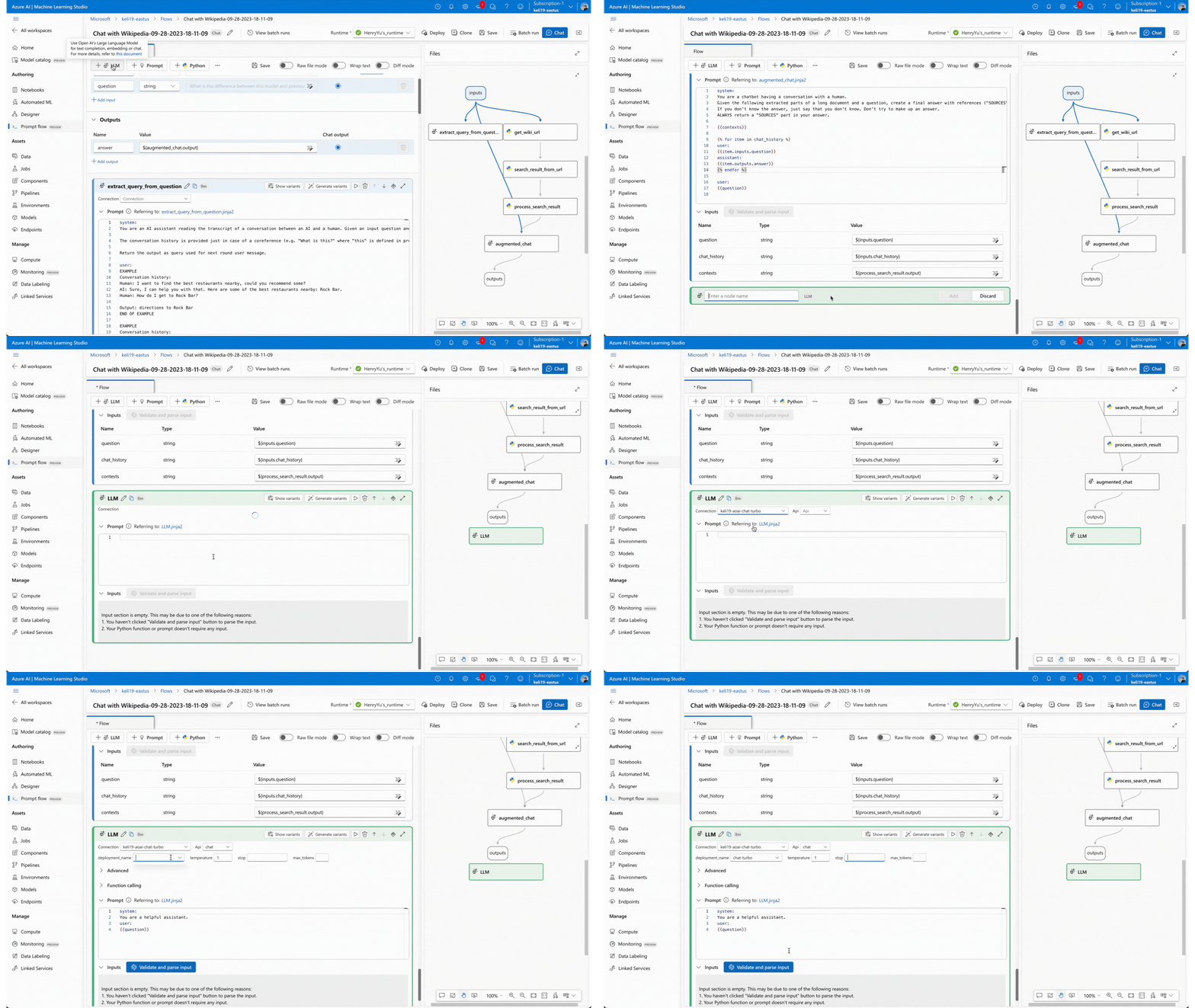
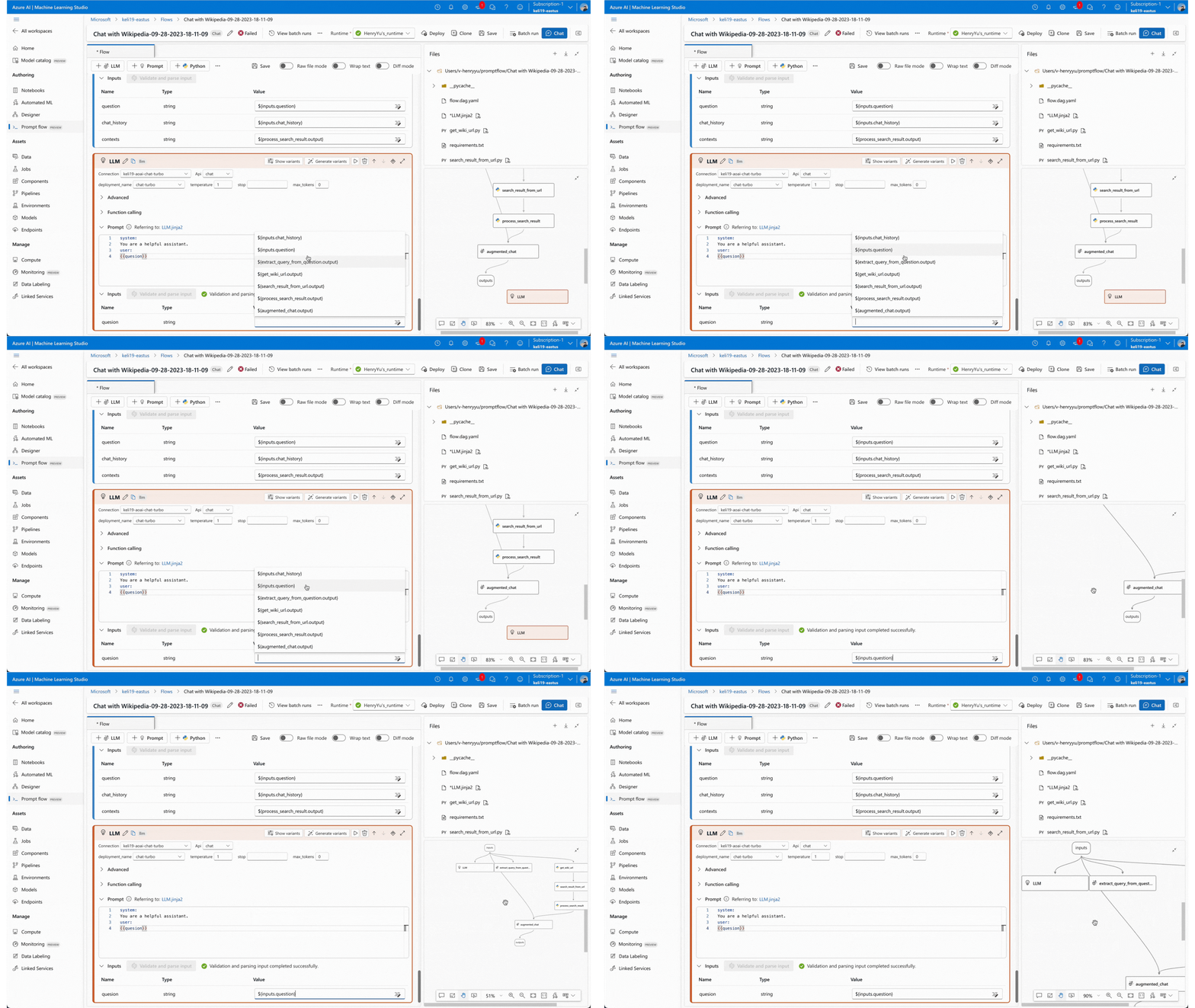
Link Nodes: Link each node by editing inputs, avoid confusion if there are multiple inputs in one node.
Test Prompt & Debug: Run flow to test prompt or use natural language directly in chat mode, to help prompt engineers understand the performance.
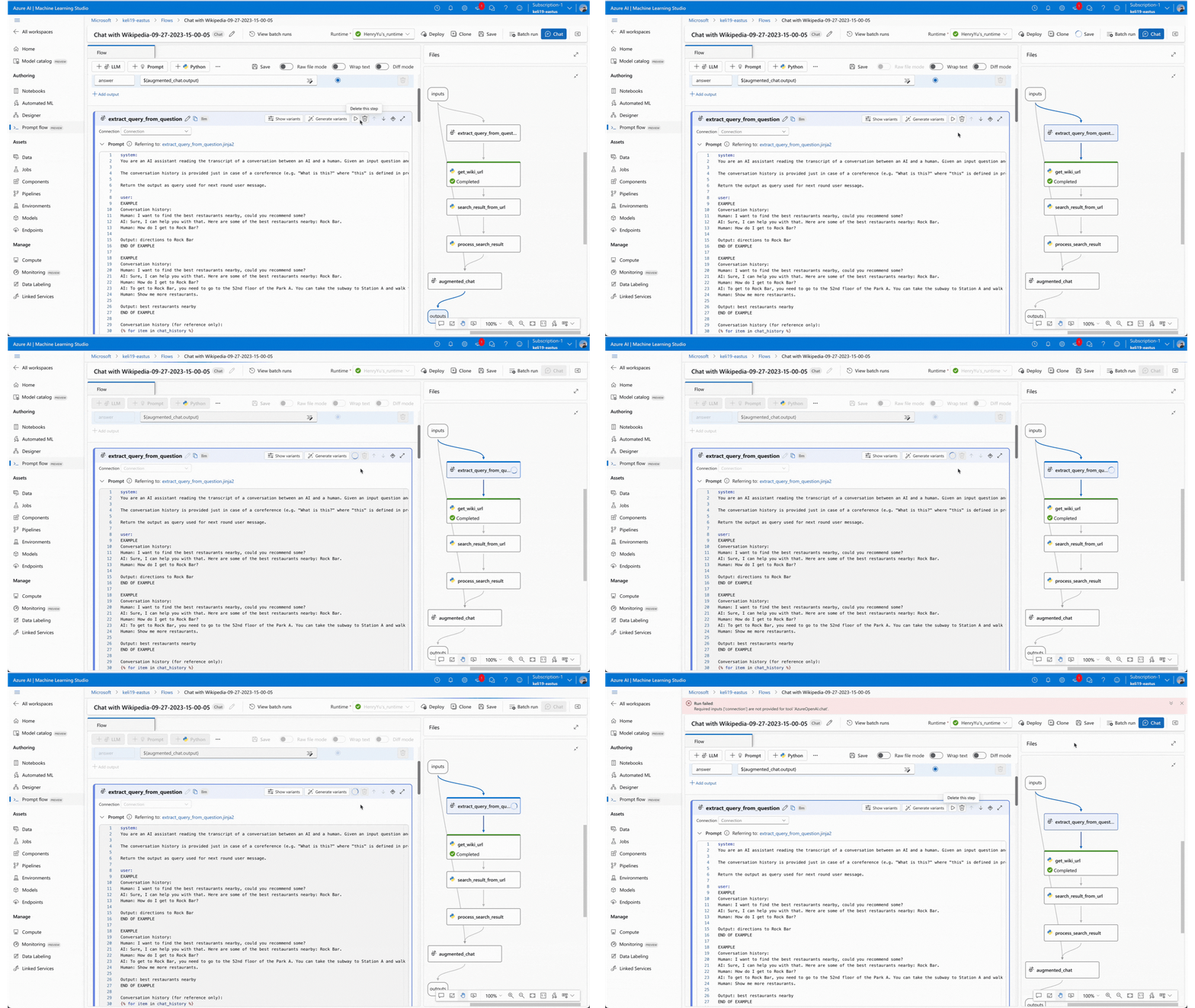
Run Specific Node to Check Performance
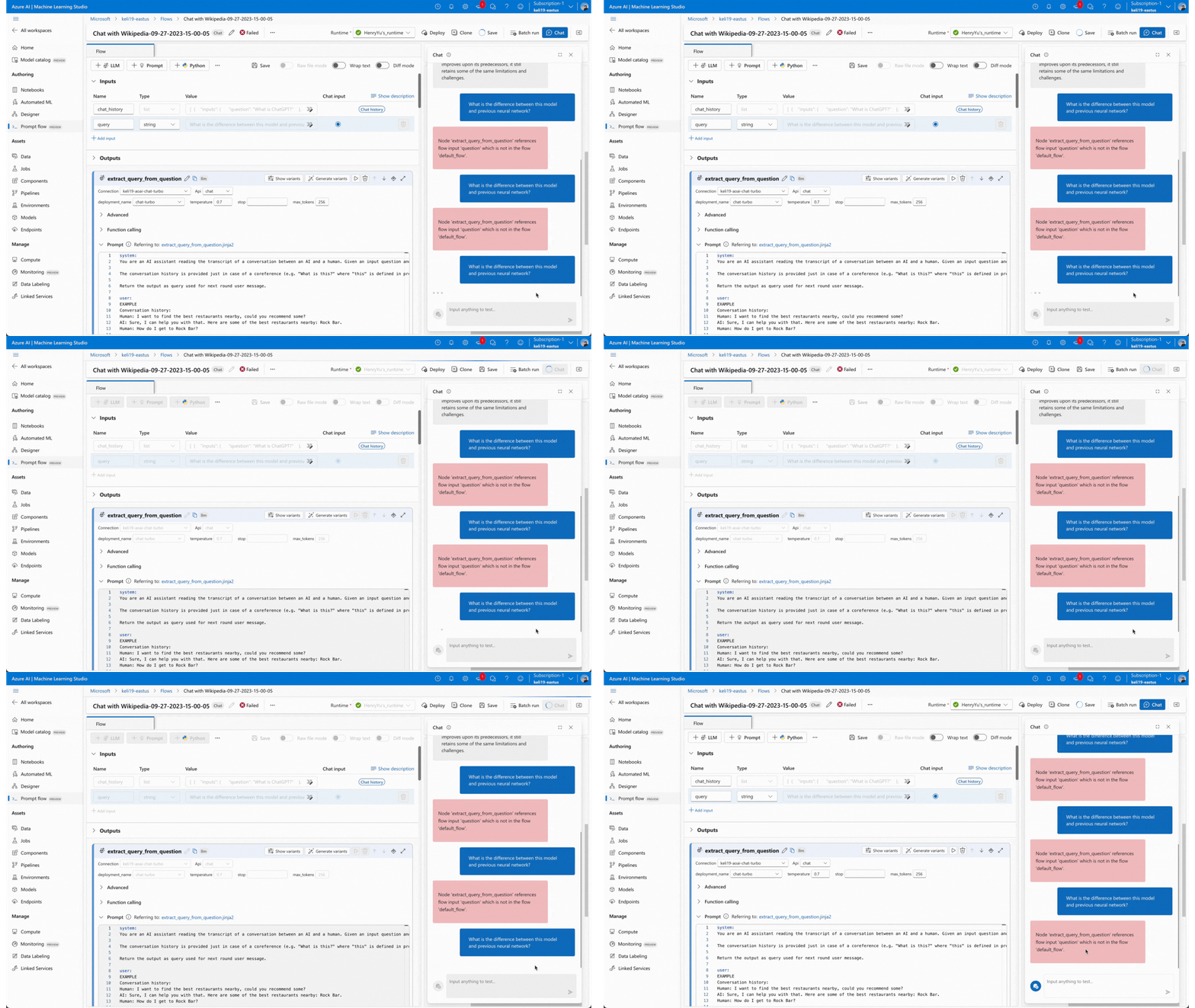
Run the Whole Flow to Check Performance
Collaborate with Team Members: In the workspace, check teammates' prompt flow, duplicate them as a reference, template, and help debug.

Evaluation Experience
Goal: Simplify bulk evaluation and make results interpretable.
Core Enhancements:
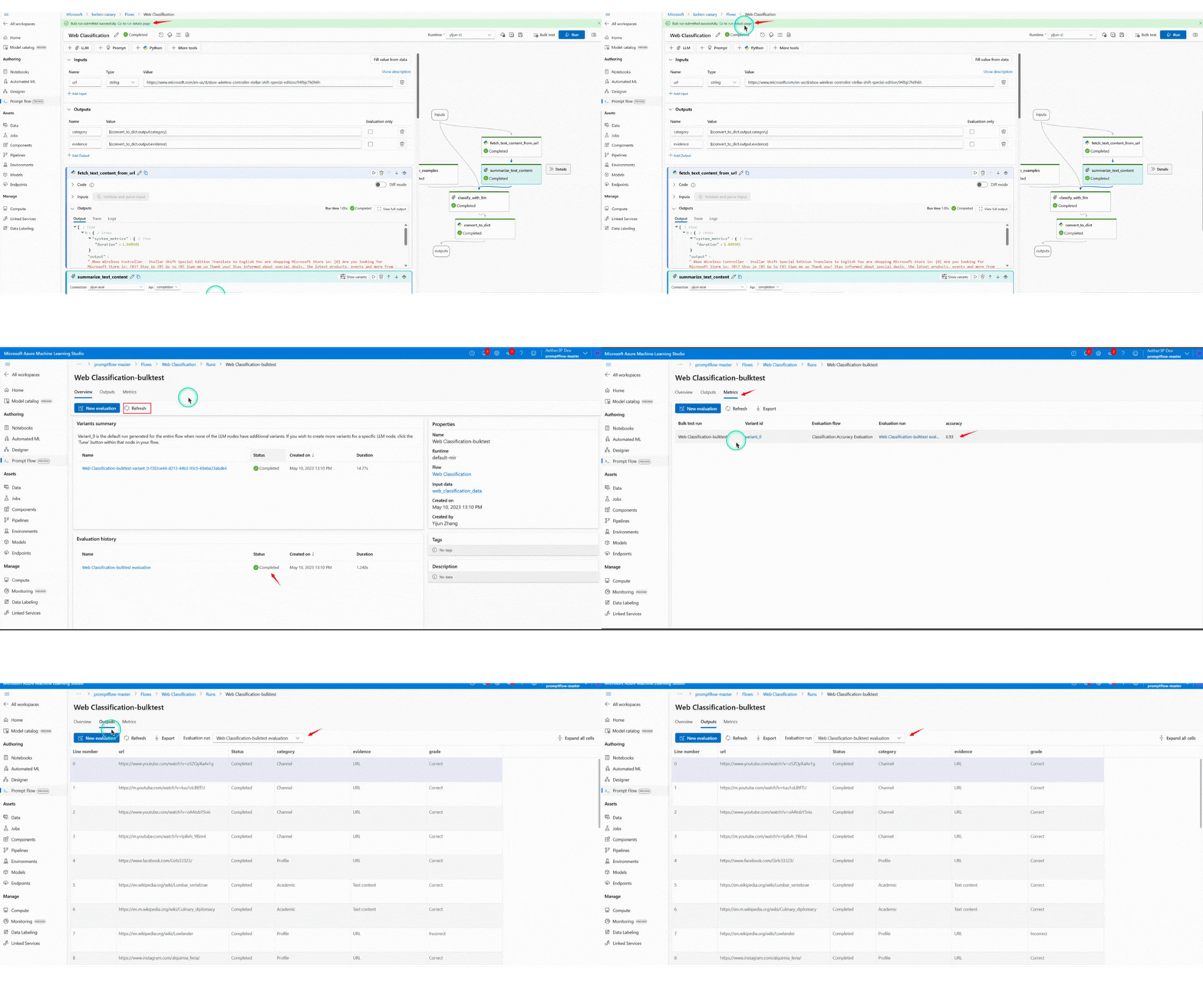
Unified configuration step: “Set Bulk Run & Evaluation” merges setup tasks, cutting configuration time by ~20%.
Comparative result view: Visualizes metric differences across models and runs.
Guided evaluation states: Dynamic color cues show status (Running / Evaluating / Completed).
Impact
Results
Prompt Flow evolved from a developer tool to a scalable platform for both technical and non-technical users.
It streamlined authoring, testing, and evaluation—turning fragmented workflows into one loop.
20% faster evaluation setup
Unified interface for all roles
1K+ active users in preview
Higher prompt reliability