
Source Admin — Clinical Trial Ops (0→1)
Designing a role-based workflow console inside Tandem’s existing Source Admin platform.
Workflow design • IA & hierarchy • Platform patterns • Risk-aware actions
Role: Product Designer • Scope: 0→1 admin workflows + key screens • Delivery: Stage 1 shipped • Note: Details sanitized
Overview
A legacy tool was sunset, so we moved clinical trial operations into Tandem’s existing Source Admin platform. I owned 0→1 UX for Clinical Affairs and Study Admin through Stage 1 launch.
My Scope:
Admin workflows + IA/navigation within Source Admin
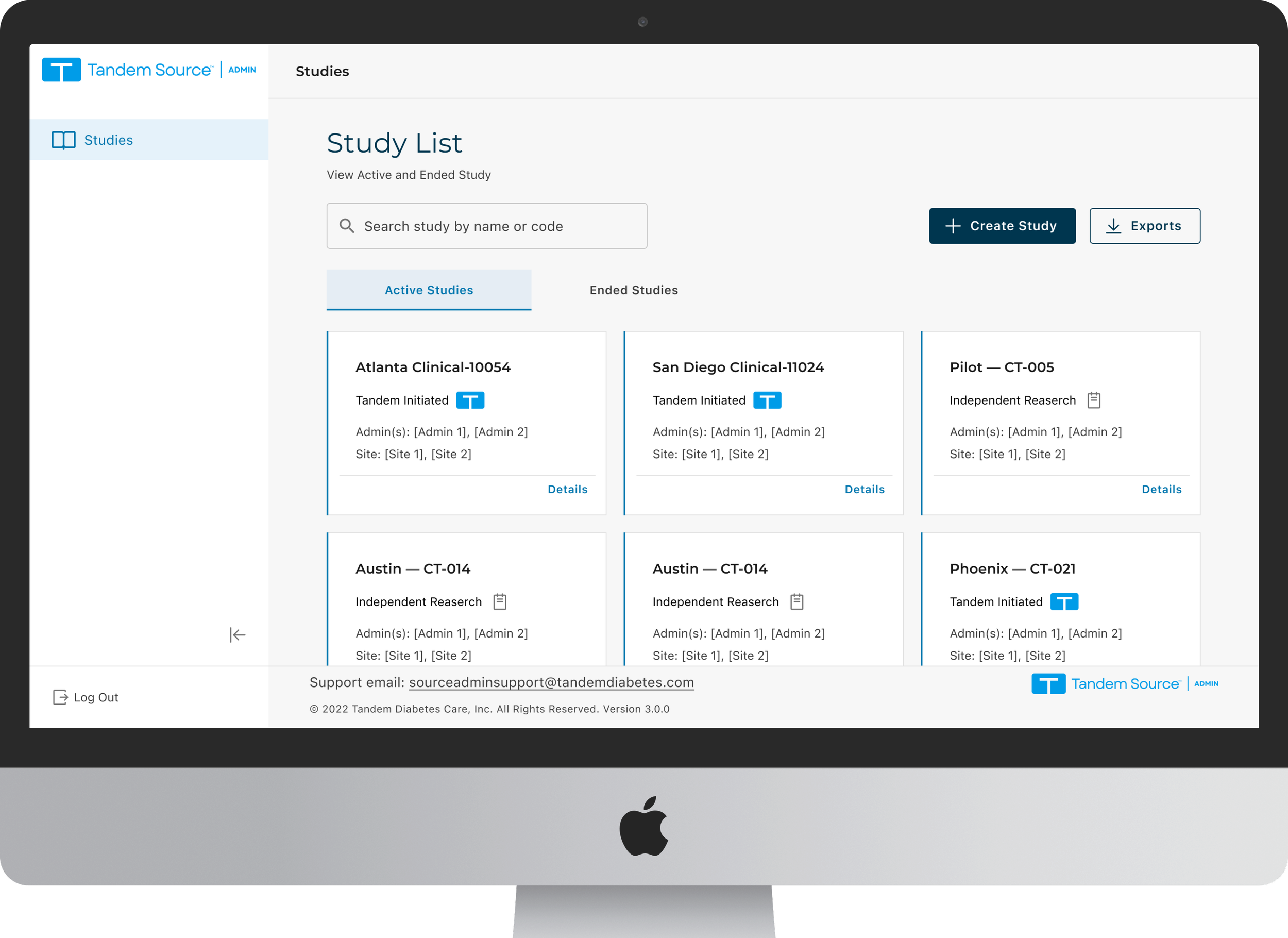
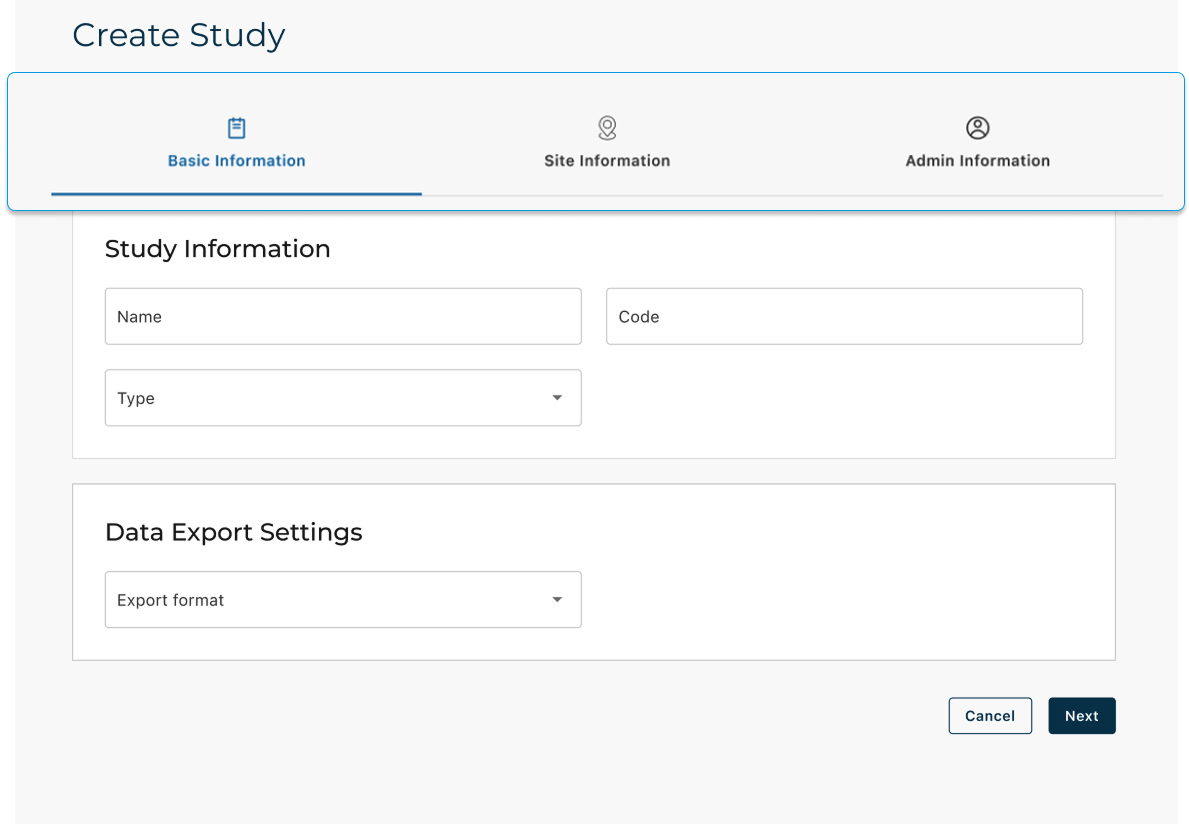
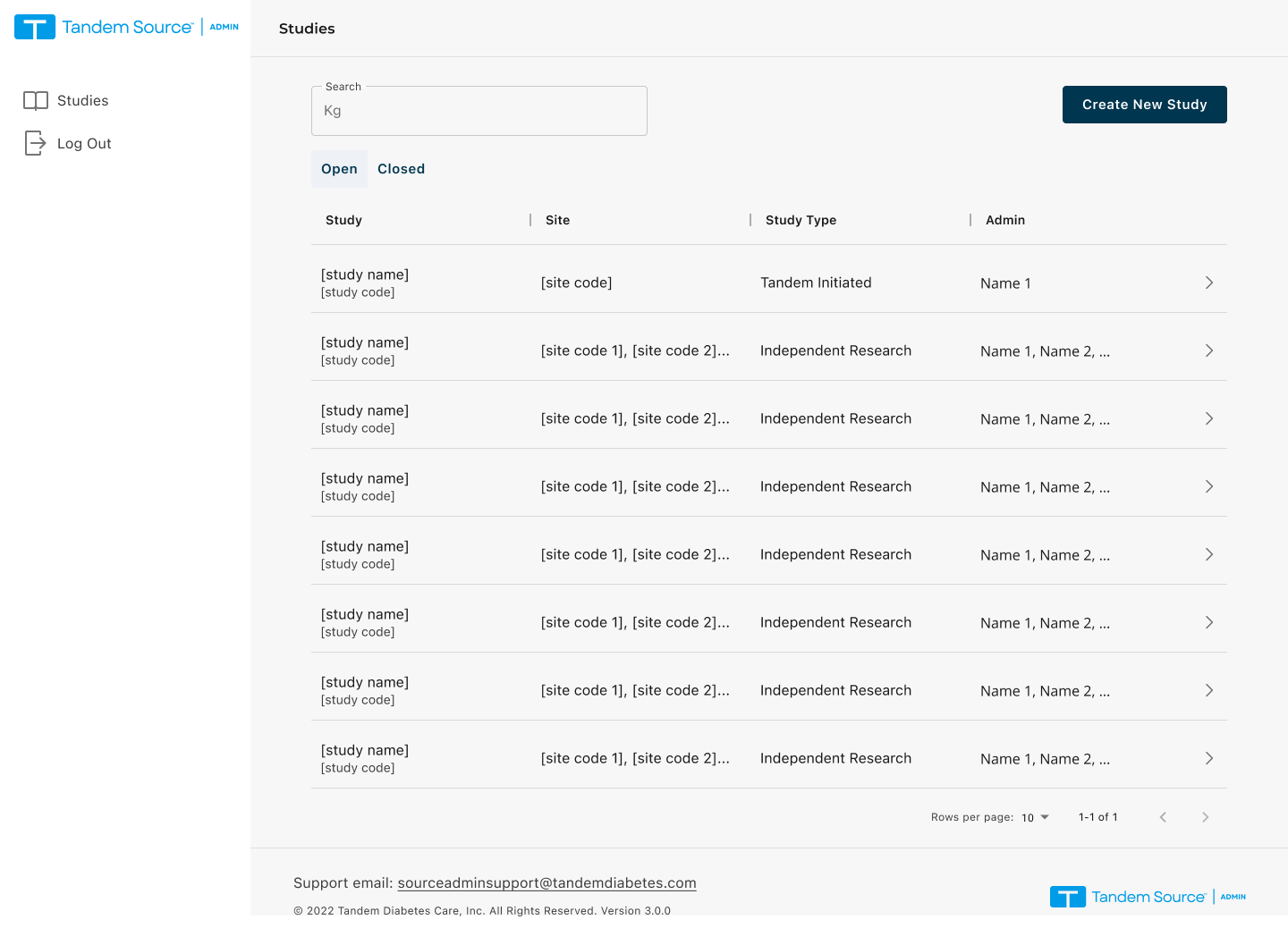
Stage 1 screens: Create Study, Study Overview, Site List
IA/navigation patterns within Source Admin + design handoff to engineering
Users & Roles
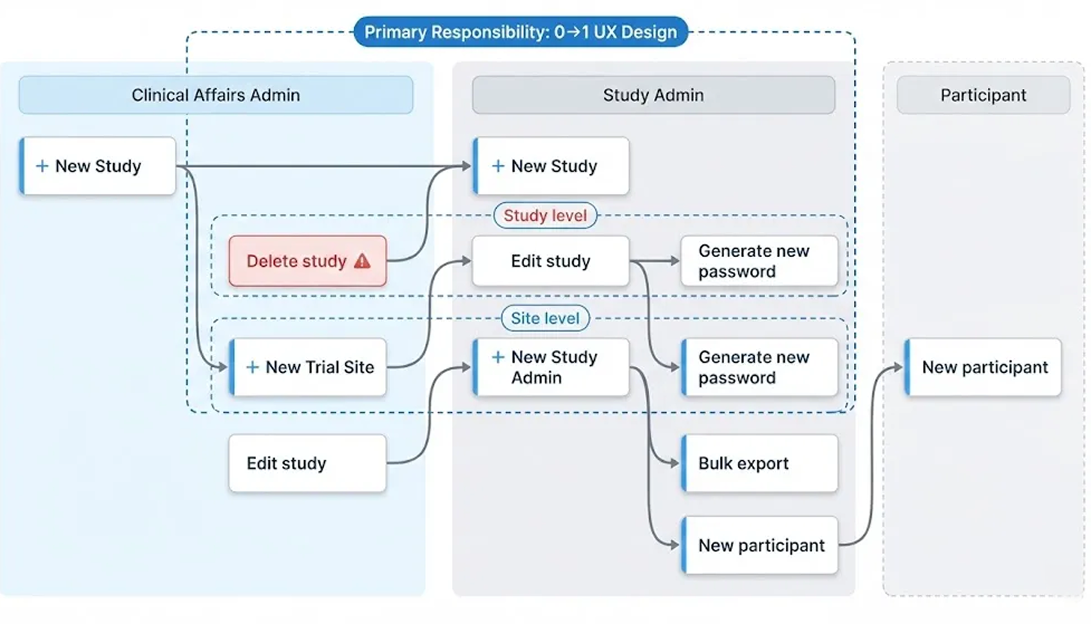
Two internal roles run trial operations in Source Admin

Clinical Affairs Admin
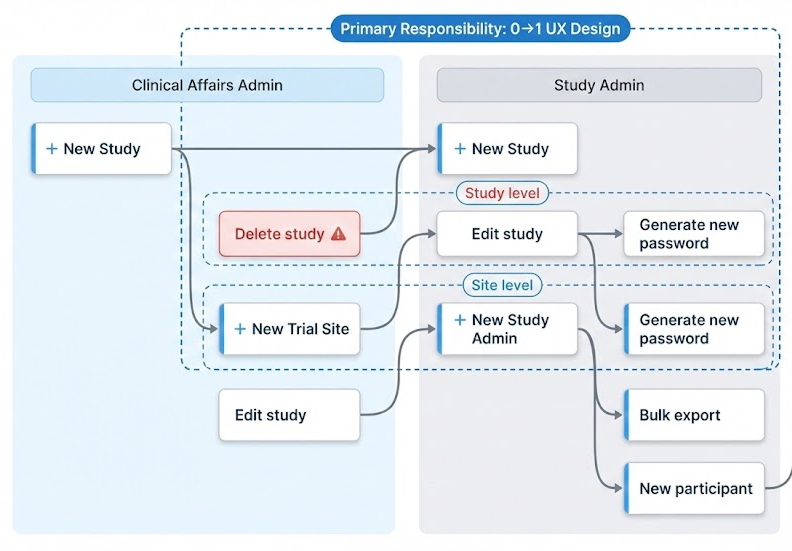
Owns study structure and lifecycle setup.
Create studies
Add / edit sites to a study
Assign admins (initial enrollment)

Study Admin
Runs day-to-day participant operations and reporting.
Export participant lists, info, and reports
Manage participant accounts (e.g., password resets)
Support site-by-site execution
The Challenge: Bridging the Operational Gap
Clinical trial ops lacked a reliable, integrated workspace within the Source Admin platform, leading to fragmented workflows and inefficiency.
Fragmented Workflow
Lack of reliable integrated workspace
Unclear Hierarchy
multi-study navigation slow
Role-Based Execution not Supported
Role-based execution not supported well
Discovery (Interviews)

Method: Remote Usability Sessions.
Clinical Affairs

Participants: 1 Stakeholder + 5 Admins.
"The old structure didn't match how we manage studies.”
Hierarchy Mismatch
Fragmented Creation Workflow
Efficiency isn't just about moving to a single platform—it's about aligning the system’s logic with the user's operational mental model to eliminate cognitive friction.
"I have to juggle three different platforms just to set up one study.“
Study Admins
Low Findability

Focus: Create · Manage · Find studies (end-to-end)
"With so many active and ended trials, finding a specific study by name or code is a constant struggle."
Strategic Decisions
From User Insights to Design Execution
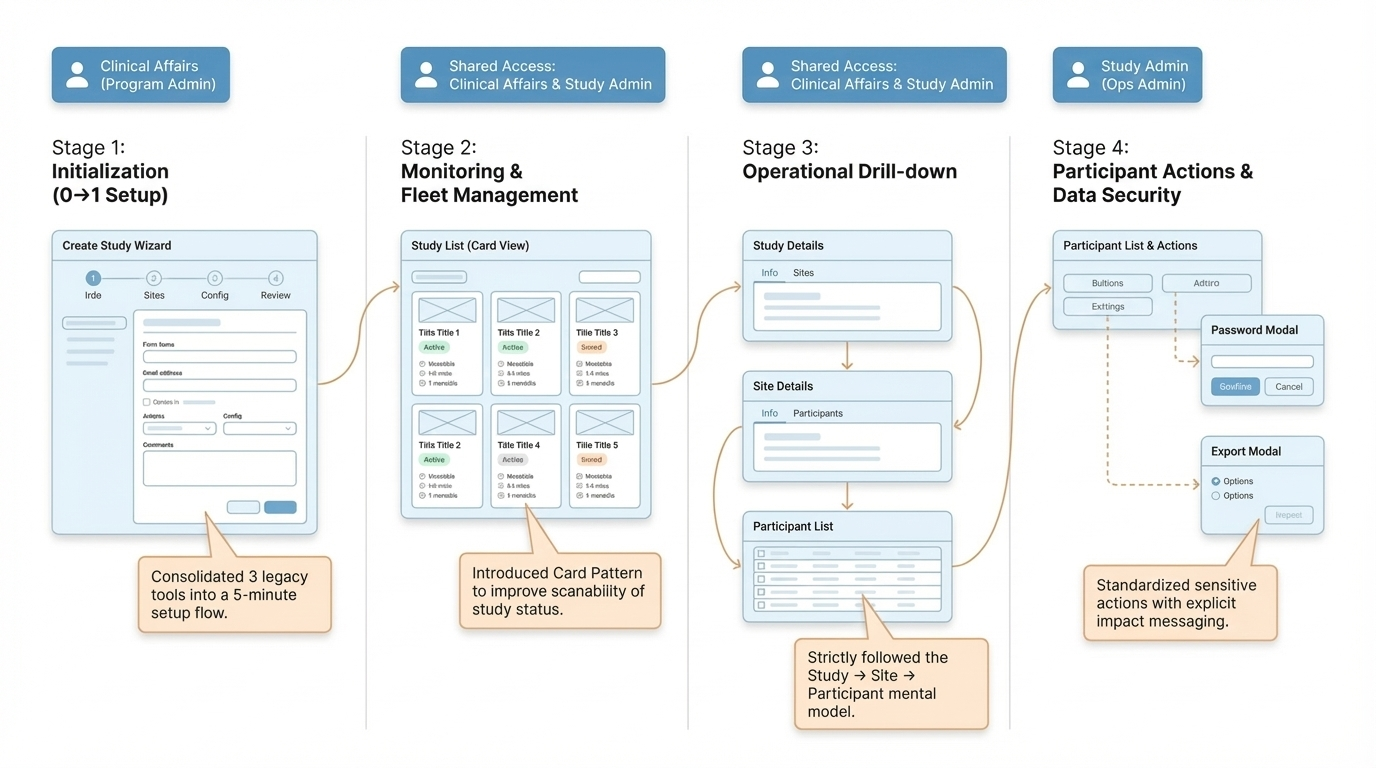
1. Hierarchical Restructuring
Insight: The previous structure clashed with the site-centric mental model used by clinical teams.
Action: Re-architected the system into a nested Study → Site → Participant hierarchy.
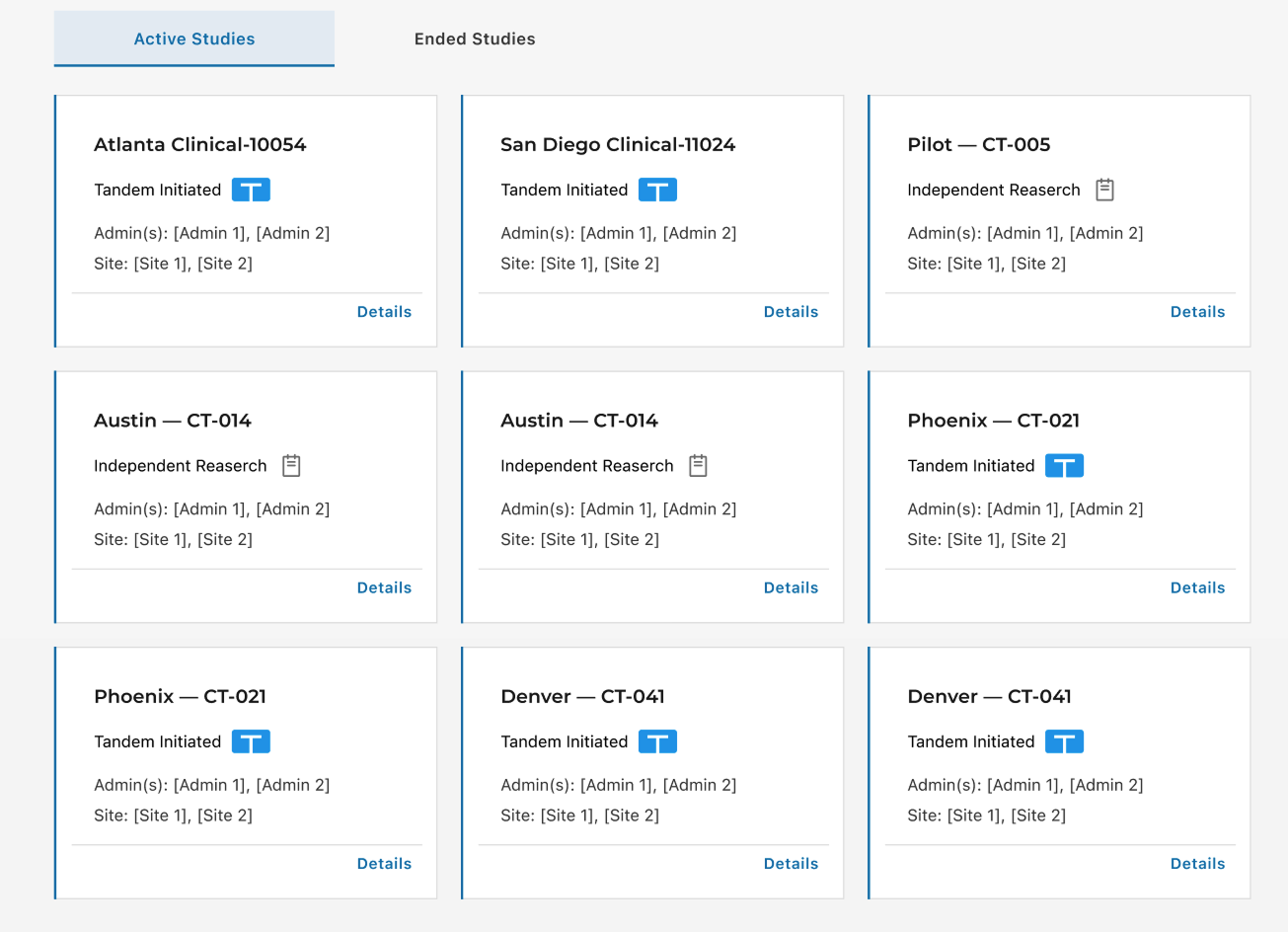
2. Scannability via Card View
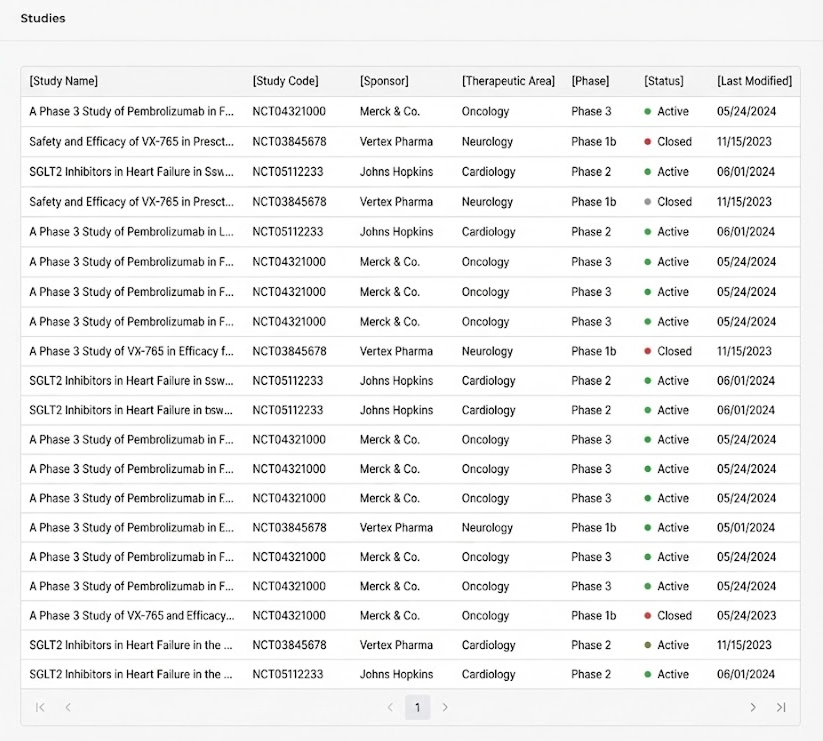
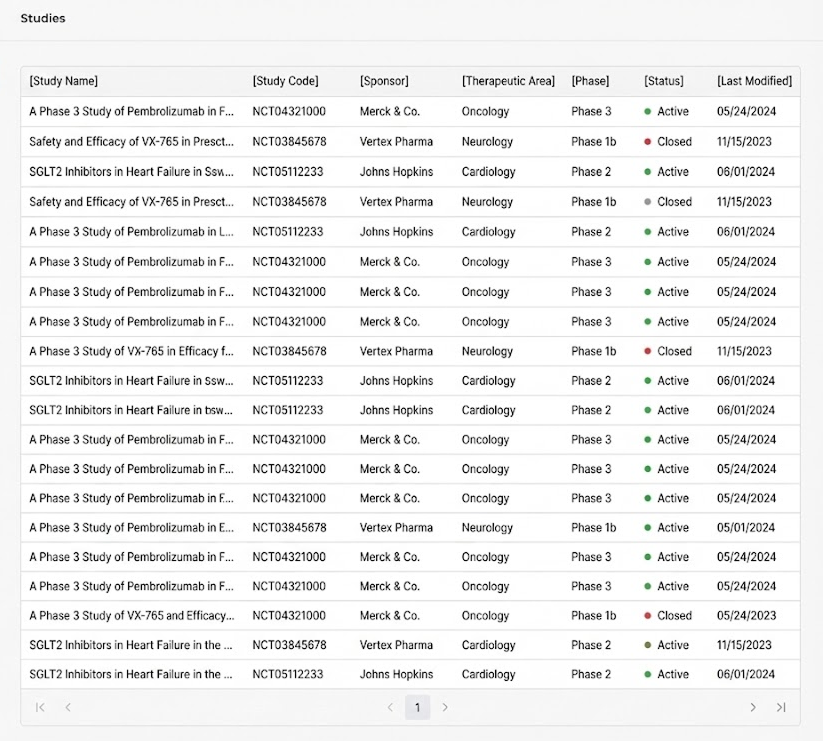
Insight: Dense tables made it difficult to scan study metadata and distinguish trial statuses.

3. Unified 0-to-1 Creation Hub
Insight: Setup was fragmented across 3 platforms, causing high context-switching and wasted effort.
Action: Built a centralized Creation Hub to unify study initialization, site association, and config into one flow.
Action: Introduced a modular Card View to prioritize key study details and improve "findability".
Key Workflows
Two role-based workflows built inside Source Admin: study setup/lifecycle (Clinical Affairs) and day-to-day operations (Study Admin).
Screens
Study Creation
Role: Clinical Affairs Admin
Goal: Set up a study and make it ready for execution
Path: Study List → Create Study (Wizard) → Study Overview
Key screens: Wizard steps, metadata, site/admin setup
Participant Setup
Role: Shared Admin Access (Clinical Affairs + Study Admin)
Goal: Add participants at the study level for initial setup
Path: Study List → Study Overview → Participants (Study level) → Add Participant Study (Wizard) → Study Overview
Key screens: Study-level list, add participant entry, basic validations
Site-level Export
Role: Shared Admin Access (Clinical Affairs + Study Admin)
Goal: Export site-level participant data for reporting / audits
Path: Study Overview → Site → Participants → Export Data
Key screens: Bulk select, export modal, success confirmation
Design Highlights
Pattern Shift: From List to Card
We started with a table view (left) and iterated on a cleaner list (middle), but scanability was still low.
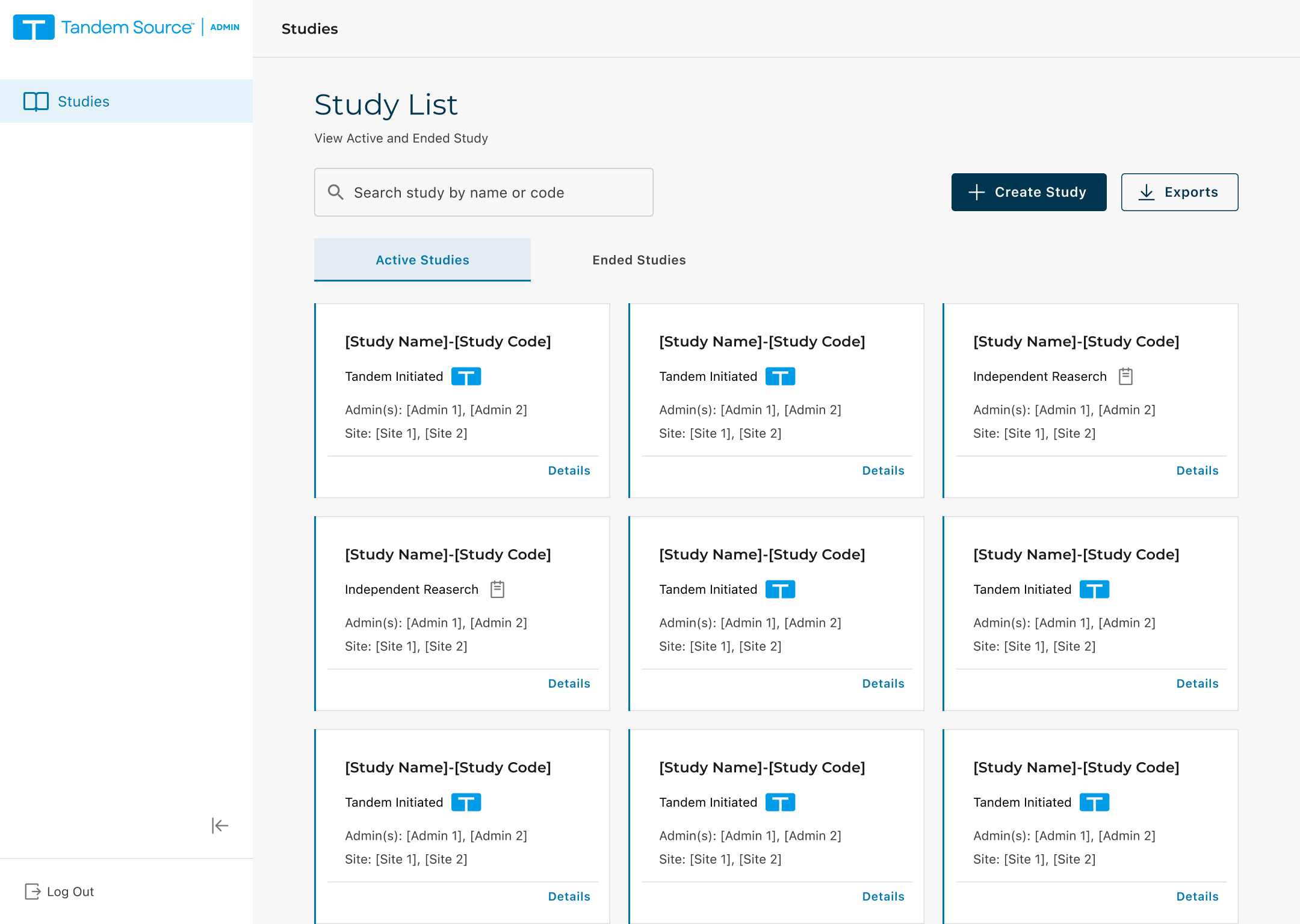
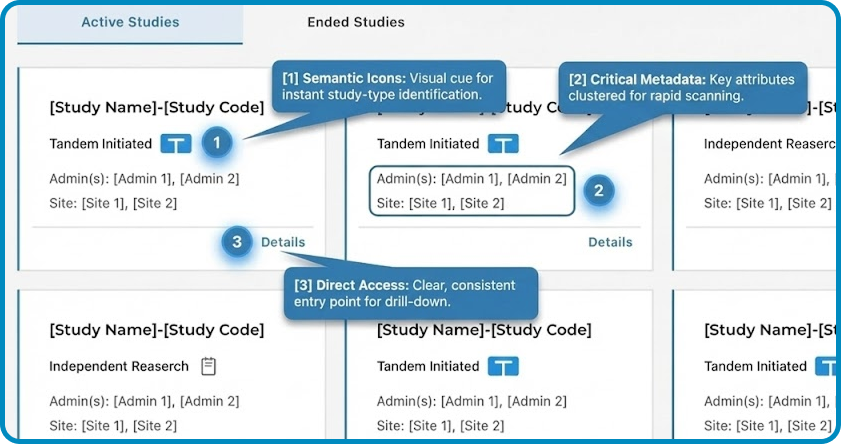
Card view (right) makes study type and status glanceable, with clearer hierarchy and a direct “Details” entry.
Removed “End Study” from the Study card after validation revealed mis-trigger risk; we iterated from exposed → hidden → removed, restricting the action to a safer, permissioned admin path to prevent high-impact mistakes.
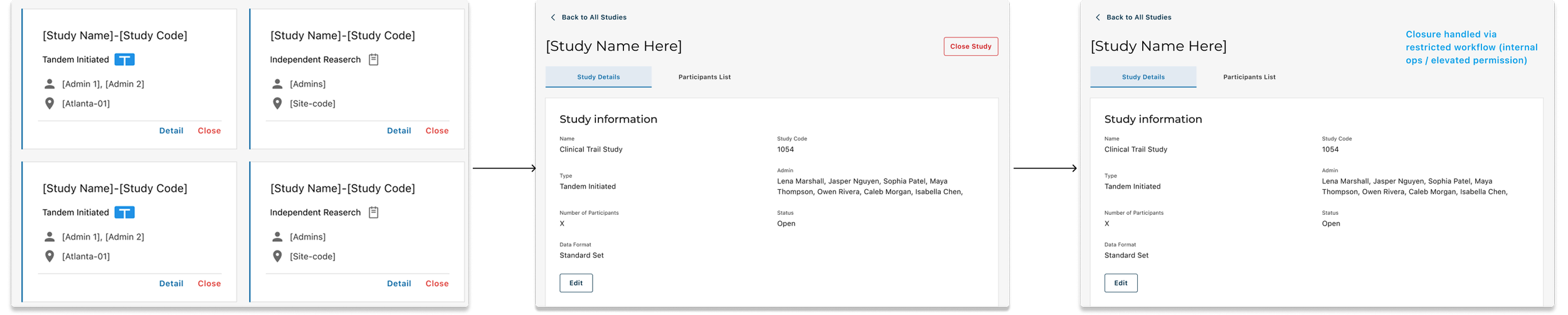
V1: Quick access (Card)
V2: Reduced exposure (Detail)
Safeguards for High-Risk Action
V3: Removed from UI surface (Controlled path)
Information Architecture Decision
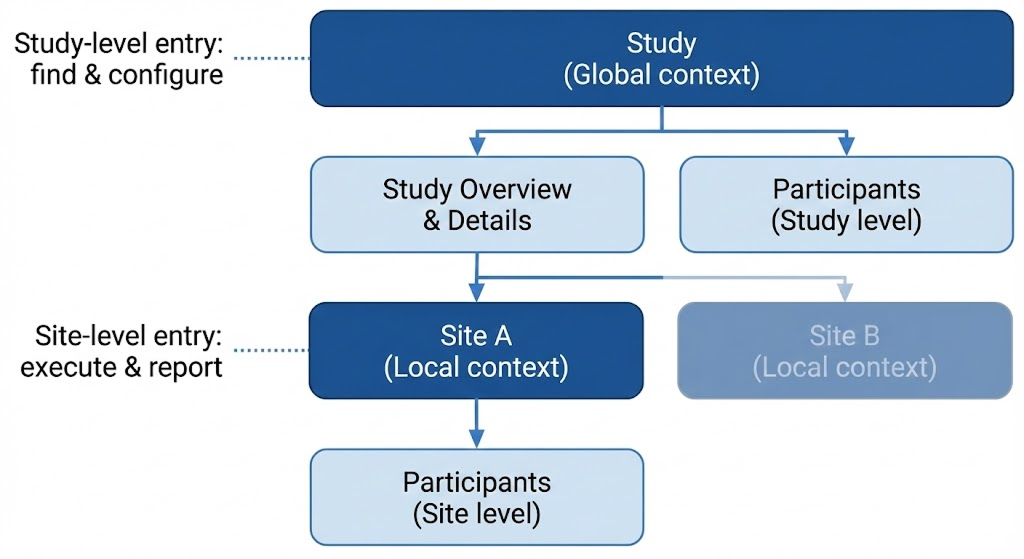
Built a Study → Site → Participant hierarchy to reduce navigation thrash—global actions at Study level, day-to-day ops at Site level.
Outcomes
+15–20%
Weekly admin efficiency improvement
System Impact
Introduced the first card-based Study List to improve scanability.
Established a Study → Site → Participant hierarchy supporting both retrieval and execution.
–21–27%
Reduction in post-release issues
Stakeholder feedback
The Clinical Trial lead emphasized speed and workflow fit over polish—and was excited when Stage 1 shipped and matched their day-to-day process.
9 / 10
Average Ease-of-Use score (n=5)
Delievery
Stage 1 shipped and adopted by the trail operations team
Key takeaways
Workflow-first admin UX — Decisions grounded in operational reality and a clear system model.
Consistency × innovation — Ship inside existing platforms while introducing new patterns only when they measurably improve usability.
Reliability without drag — Add the right safety friction for high-impact actions without slowing daily work.